Personal finance · Subscription intelligence

SUBSCR.

Subscription and personal finance intelligence.

SUBSCR. is a personal finance and subscription management application. It helps users track recurring subscriptions and organize purchases, refunds, transfers, incoming payments, failed charges and upcoming bills from financial emails they explicitly authorize.

Why Gmail access? SUBSCR. requests Gmail read-only access solely to find receipts, invoices and payment notifications and turn them into user-visible financial records. It cannot send, modify or delete email.
  • Read-only permission
  • User-initiated scans
  • Disconnect anytime
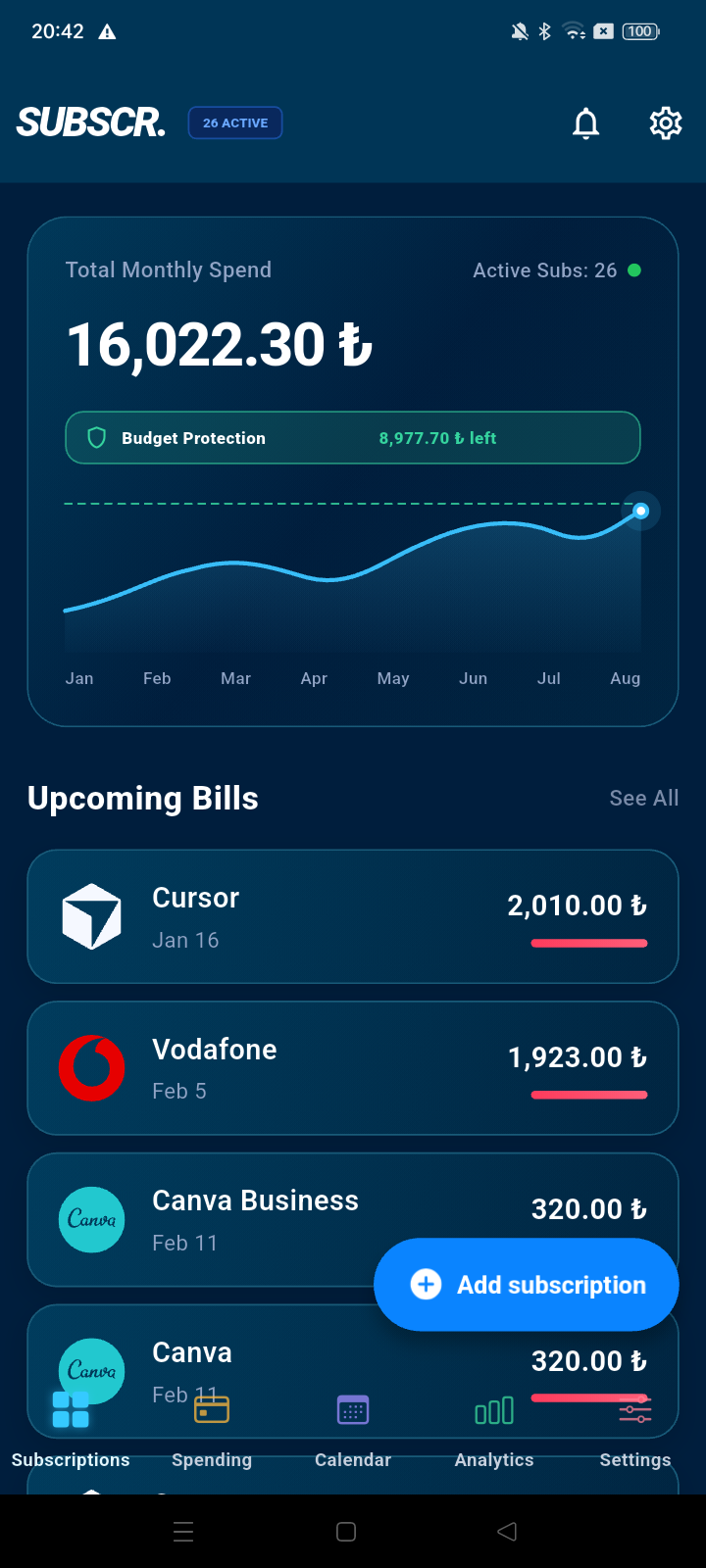
SUBSCR. home screen showing total monthly spending, budget protection and upcoming subscription bills
Budget guardKnow the limit before renewal day
Read-onlyNo sending. No deleting.
01SubscriptionsRenewals & recurring costs
02Financial activityPurchases, refunds & transfers
03Actionable insightsBudgets, trends & reports
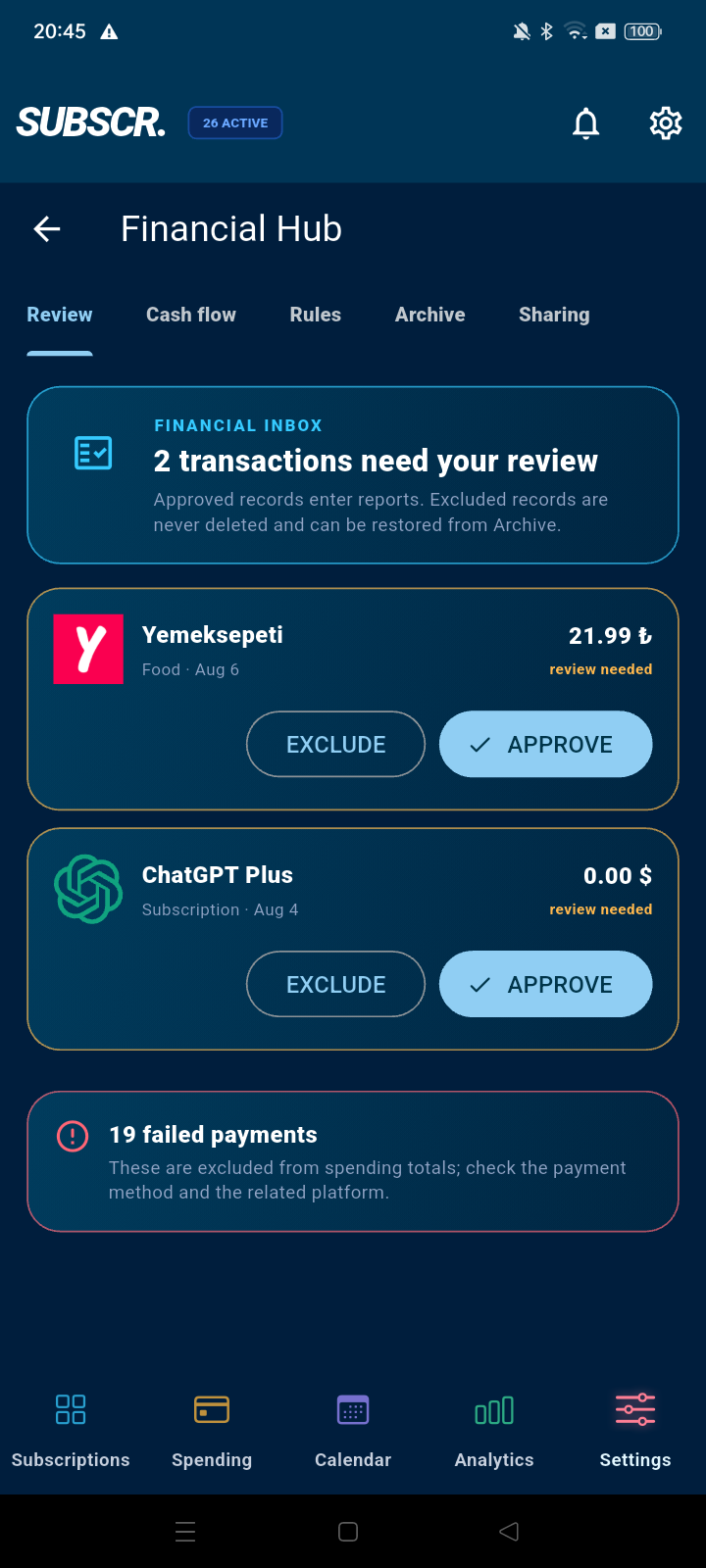
04User controlReview, approve or exclude
The purpose of SUBSCR.

Financial clarity built from the records you already receive.

SUBSCR. helps people understand their genuine financial activity without manually retyping every receipt or renewal notice.

01

Track recurring subscriptions

See active plans, renewal dates, billing periods and upcoming charges in one place.

02

Organize real transactions

Turn authorized receipts and payment notifications into merchant, amount, currency, date and status records.

03

Understand cash flow

Review outgoing, incoming, refunded and failed transactions by period, type and platform.

04

Act with context

Use budget protection, renewal reminders, spending trends and PDF reports to make informed decisions.

Transparent email access

Why does SUBSCR. request Gmail read-only access?

Financial confirmations are often spread across inbox categories. With explicit permission, SUBSCR. searches the connected mailbox for receipts and financial notifications so the user can build an accurate financial overview.

Permission requested: Gmail read-only

Access is used only for user-facing financial features.

SUBSCR. identifies emails that signal a completed purchase, subscription renewal, invoice, refund, transfer, incoming payment or failed charge. It extracts the minimum useful fields for the app experience.

MerchantAmountCurrencyDateTransaction statusBilling cycle
  1. 1
    User connects an accountGoogle displays the requested read-only permission and the user explicitly consents.
  2. 2
    User starts or enables a scanSUBSCR. checks mailbox categories for relevant financial messages.
  3. 3
    Financial fields are extractedReceipt information becomes a reviewable record rather than an opaque email.
  4. 4
    User stays in controlApprove, exclude, archive or remove records and disconnect the account at any time.
SUBSCR. CAN

Read authorized messages for financial signals

  • Find receipts and invoices
  • Detect renewals, refunds and failed payments
  • Create user-visible financial records
  • Show the source account and transaction context
SUBSCR. CANNOT

Act inside the user’s mailbox

  • Cannot send email
  • Cannot modify messages
  • Cannot delete messages
  • Does not sell Google user data or use it for advertising
Inside the application

One system. Every important financial view.

The interface turns fragmented payment information into a practical flow—from detection and review to analysis and reporting.

01 / SPENDING HUB

See what went out, what came in and what needs attention.

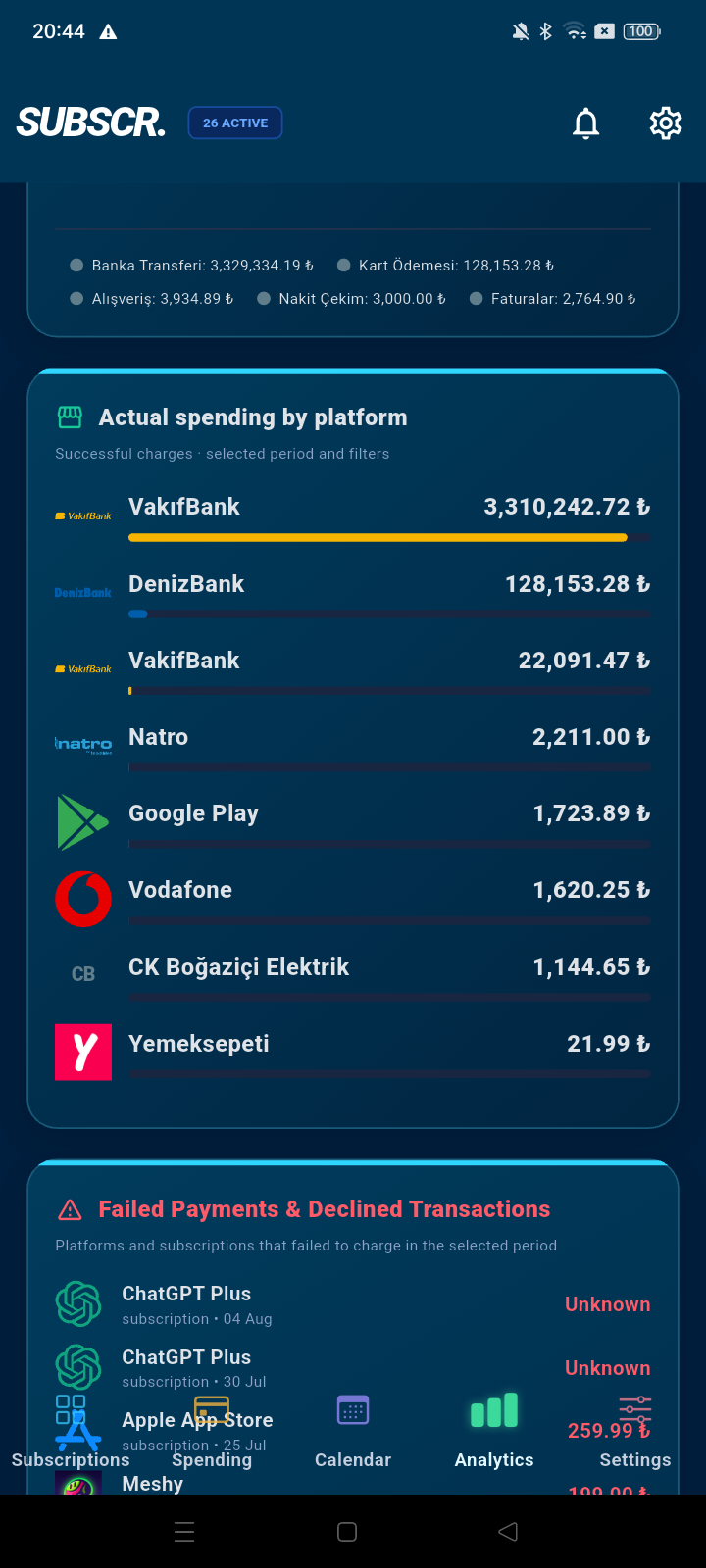
Verified transactions, incoming funds, failed payments and top spending platforms are summarized without mixing them with unconfirmed records.
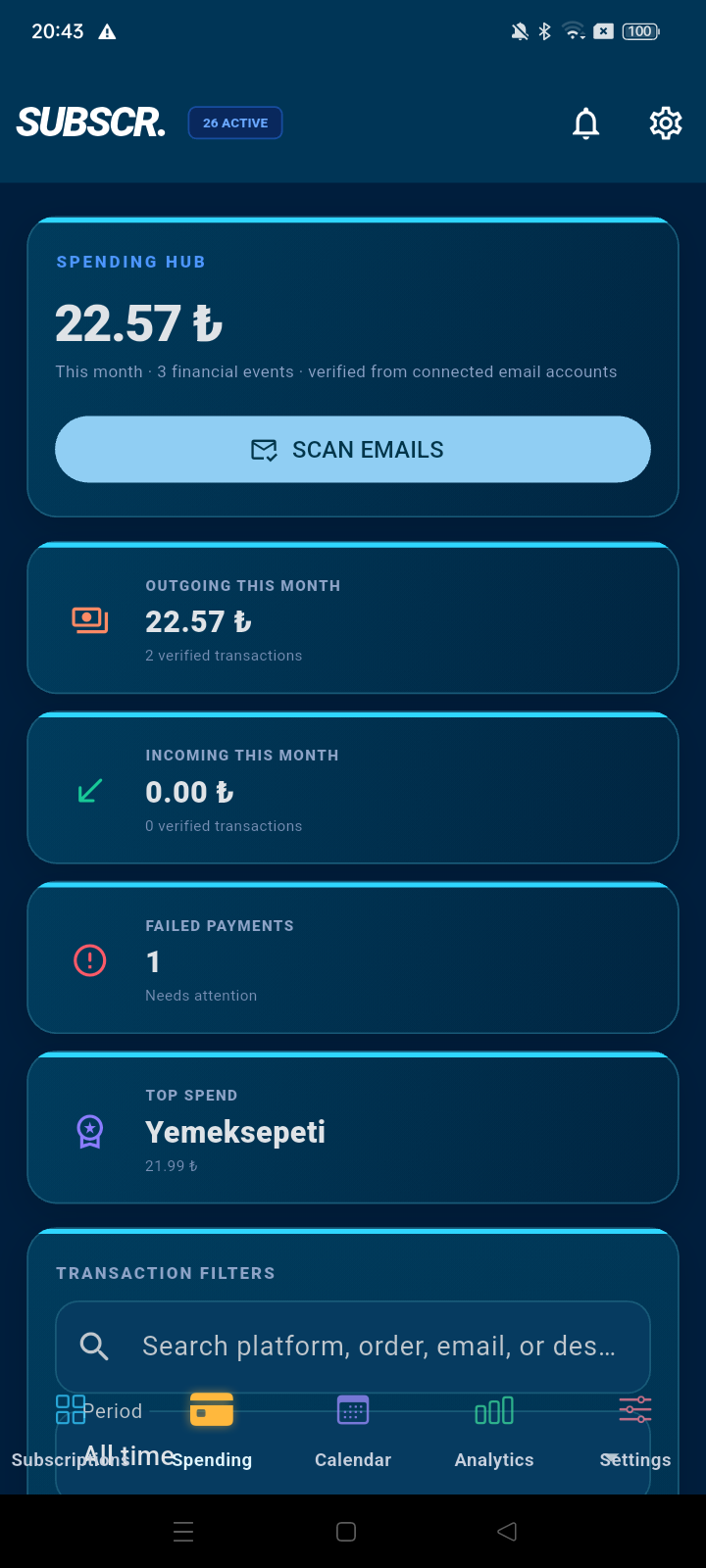
  • Search and filter transactions
  • Separate successful, refunded and failed events
  • Scan connected mailboxes from one action
SUBSCR. Spending Hub showing verified outgoing, incoming and failed transactions
02 / CALENDAR

Renewal dates become visible.

See subscriptions and expected payments on a monthly calendar.
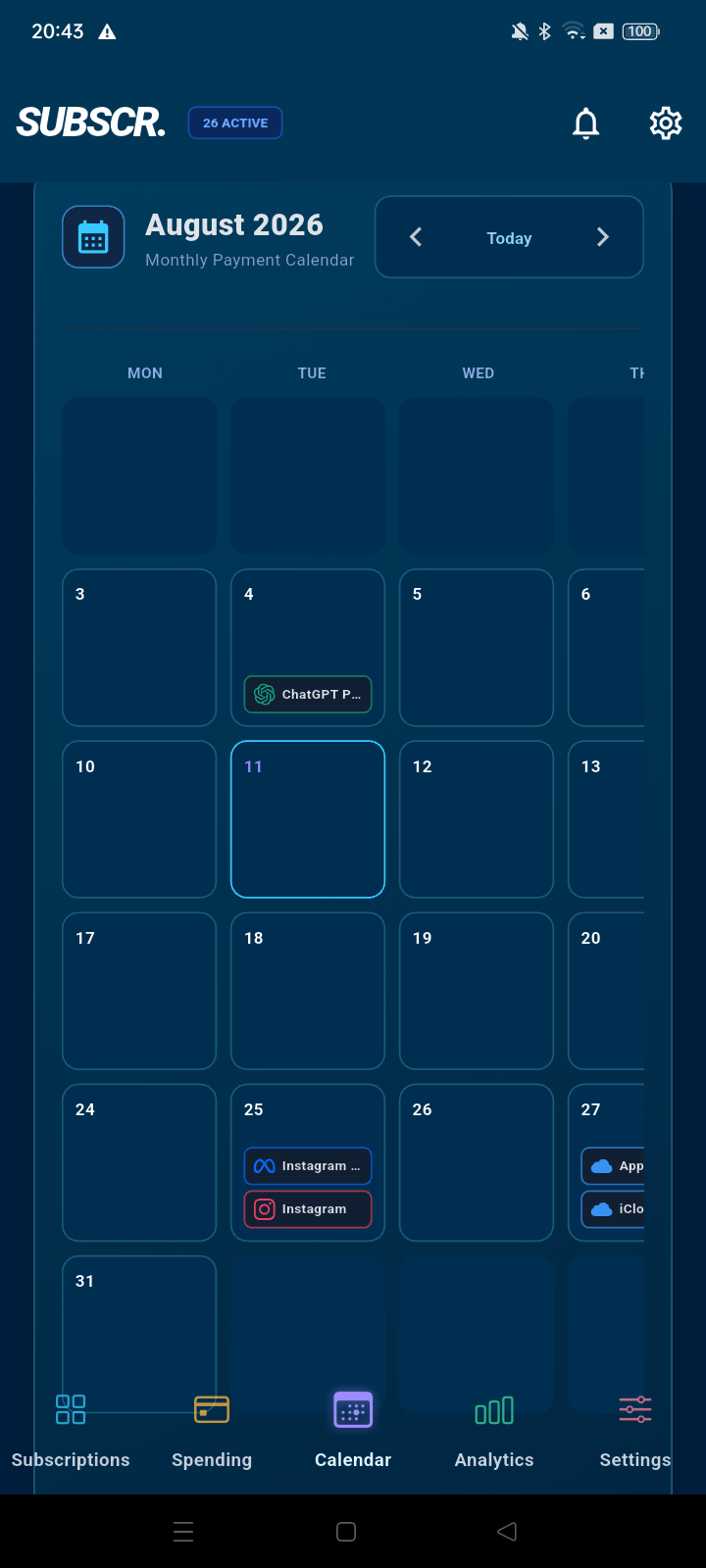
SUBSCR. monthly payment calendar with upcoming subscription renewals
03 / ANALYTICS

Trends, categories and platforms.

Analyze actual spending over time and understand where the money goes.
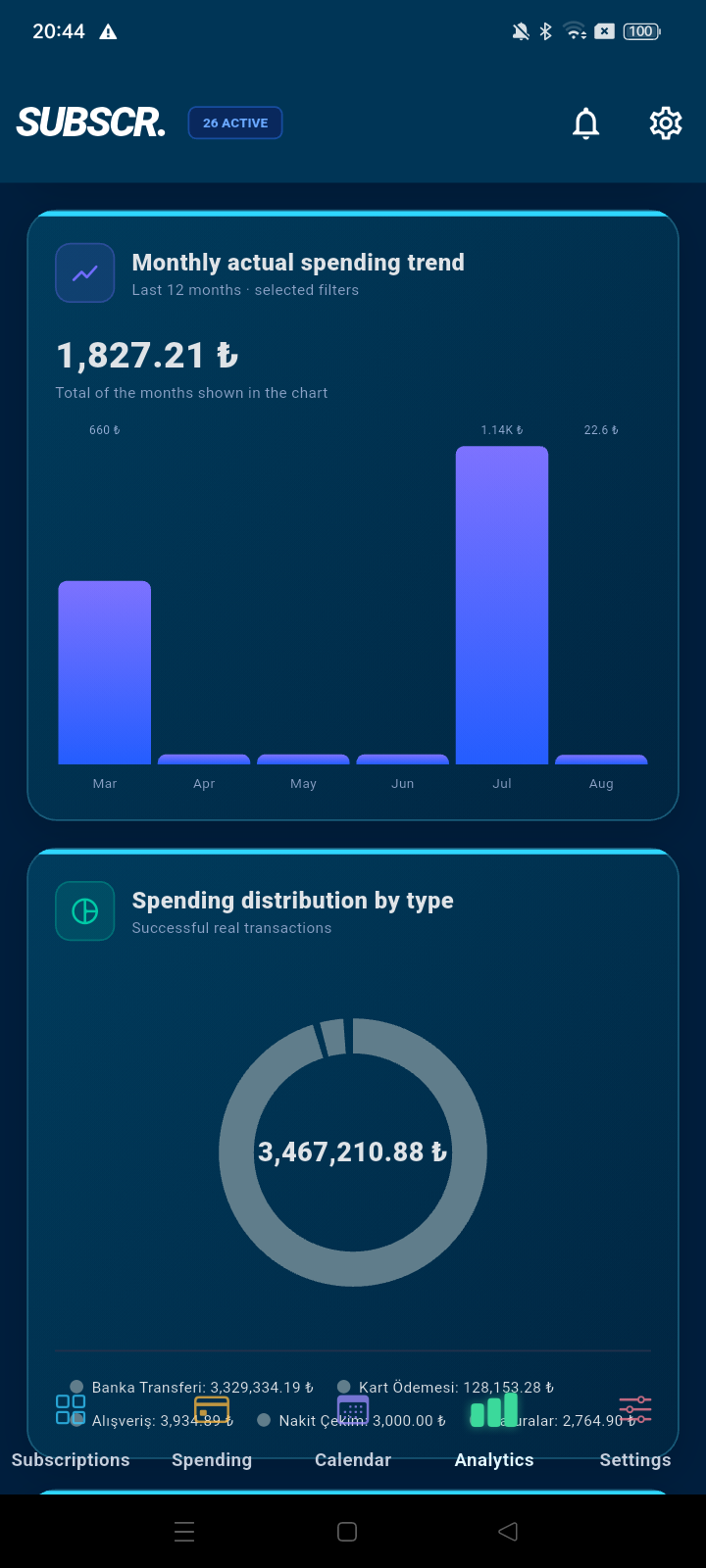
SUBSCR. analytics screen with monthly spending trend and type distribution charts
Privacy by understandable choices

The connected account always belongs to the user.

SUBSCR. uses Google user data only to provide and improve the visible financial features described on this page. It does not sell Google user data and does not use mailbox data for advertising.

01Explicit consentUser chooses whether to connect an account.
02Read-only scopeThe application cannot send, modify or delete email.
03Visible outputProcessing supports records, reminders, analytics and reports shown to the user.
04Revocable accessThe user can disconnect accounts and remove generated records.
Clear answers

Before connecting an account.

Does SUBSCR. send, change or delete email?+

No. The application requests Gmail read-only access. It cannot send, modify or delete messages.

Which messages does SUBSCR. look for?+

Financial messages such as receipts, invoices, subscription renewals, purchases, refunds, transfers, incoming payments and failed charges. Unrelated messages are not turned into financial records.

Can a user review detected transactions?+

Yes. Detected records can be reviewed, approved, excluded, archived or restored from the Financial Hub.

Can the connected account be removed?+

Yes. A user can disconnect an account and revoke Google access at any time.

SUBSCR. · PERSONAL FINANCE

Know what renews.
Understand what you spend.

Questions about the application, privacy or account access?

support@subscr.org ↗